
Common subscriber services topics
What's included in subscriber services
For an overview of state-specific subscriber services offered by NIPR, review the product list by state.
Signing up my company for a subscriber services account
You’ll receive access to NIPR’s Subscriber Services after you complete the Producer Database (PDB) access form and the appropriate license agreement. If you need help, email us, and the NIPR business development team can help you through the process.
Resetting your subscriber services password
There are two ways to reset your password:
- Your company administrator can reset your password.
- Use the Forgot Password link on the subscriber services login page. Enter your username to receive an mail to reset your password.
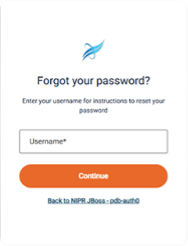
If you don’t know your company administrator or the answers to your challenge questions, or if the system doesn’t recognize your information, contact us for help.
Accessing Application Programming Interfaces (APIs) and NIPR services
Contact us, and the NIPR business development team can help you with the API process.
Locating NIPR account manager login credentials
If you do not know your account manager login credentials, email NIPRCollections@NIPR.com for assistance.
Payment-related subscriber services topics
Paying subscriber services invoices
Pay monthly Subscriber Services invoices through the NAIC/NIPR Account Manager.
No invoices listed for my company
If you don’t see any invoices:
- Be sure you are only using one form of search criteria.
- You may have appointments for license types that are not renewable through NIPR.
- If you just submitted a payment for another invoice, you may need to restart your browser to access invoices for other companies.
Downloading an invoice into a spreadsheet
- Start by searching for the invoice. To do this, enter the company information in the PDB Invoice Search option and click Submit.
- Select Download as Text from the dropdown and click Go. You will be prompted to save or open the file you are trying to download. Either option will open the file in a spreadsheet.
Providing NIPR’s ACH information to my bank
You may need to provide pre-authorization to your bank before paying for an NIPR product or service via electronic check. If you are unsure if your account requires pre-authorization, contact your bank.
The NIPR Automated Clearing House (ACH) ID
To pre-authorize the electronic transfer of funds from your account, your bank will require the NIPR ACH ID, which is 1431763793. Use NIPR for the Company Name.
NIPR completion of your ACH form
The ACH form doesn’t require input from NIPR. Since NIPR uses a third party to process electronic check payments, you only need to provide the NIPR ACH number and company name.
American Banking Association (ABA) number requirement for electronic checks
No ABA number is needed. An ABA number is only needed when companies are doing direct transfers of funds.
Electronic fund transfers for banks and credit unions
Smaller banks and some credit unions may not be set up to process electronic checks. Contact your bank if you are not sure they will accept electronic checks.
Fees for paying via and electronic check
There are no additional processing fees associated with electronic check payments.
Check “bounces” and payment failures
Payment may fail after a transaction has been submitted to the state. This can happen for reasons including an incorrect routing number, closed account, or something beyond the control of NIPR. If a payment fails, the transaction cannot be cancelled. In that situation, we’ll contact you for an alternate payment method.
Fees or penalties for failed payments
There will be a returned check charge for each electronic check that does not clear. We will contact you regarding the failed payment. If the payment issue is not resolved, we will contact the state where you are attempting to conduct business to inform them that we have not received payment. Once the payment has been resolved, NIPR will contact the state to inform them of the resolution.
Choosing a check number
The check number is not sent in the ACH file, so you can enter any number that has not already been used. The check number field is used to make sure that duplicate check numbers are not entered.
NOTE: Banks use 0001 to denote a check without a number.
Explanation of the Denied screen
The Denied screen indicates that the information you have entered is not valid. Please check your entry and try again.
Troubleshooting-related topics
State trying to renew not listed as an option
Visit NIPR's Company Appointment Renewals page to find renewal periods and license types accepted for electronic renewals. Keep in mind that some states do not require companies to report appointments at all and some states handle renewals in their own systems.
NIPR mobile app isn’t working
For security reasons, the NIPR mobile app can only be installed on one device. If you have a new phone, contact us using one of the methods below, and we will reset the mobile app for you.